RailMadad Guide: Train-Station Complaint, PNR-UTS, 139 और Reference से Tracking का सही तरीका NEW
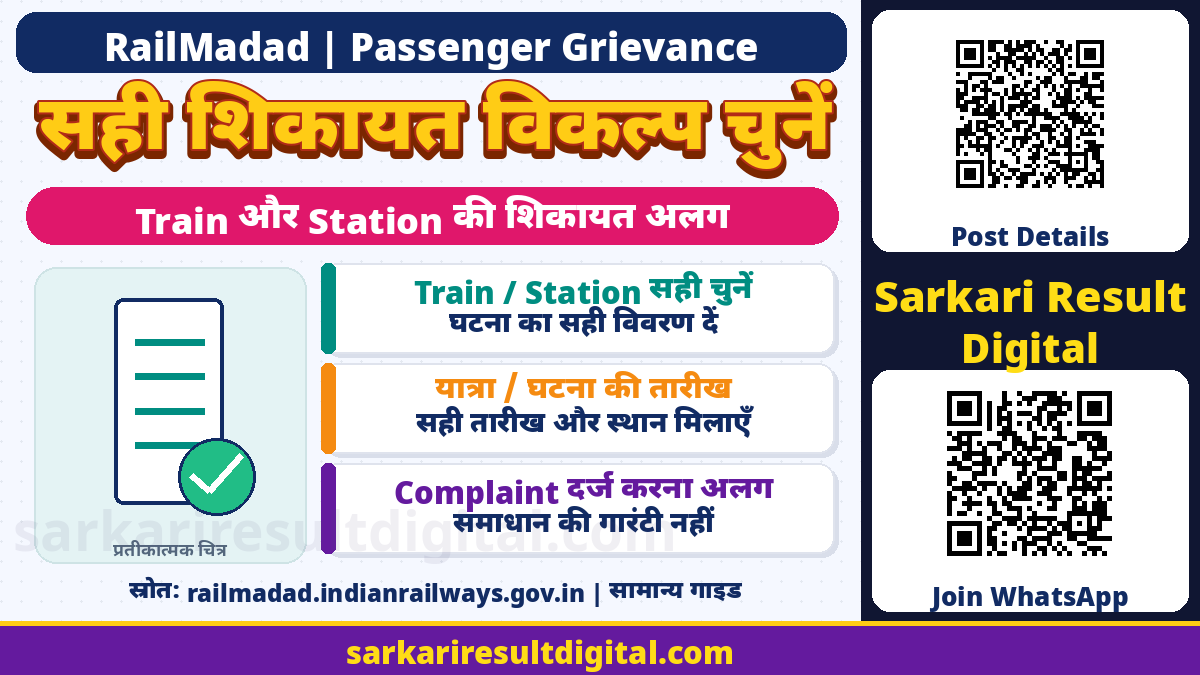
RailMadad Complaint और Tracking Guide: Indian Railways का RailMadad portal train और station से संबंधित शिकायत, सहायता, suggestion और feedback के लिए है। सफर के दौरान issue को सही train/station, journey और incident details के साथ report करने से complaint सही जगह भेजने में मदद मिलती है। Reference number से progress देखना और वास्तविक समस्या हल होना अलग बातें हैं।
इस guide में current public portal, उसके General FAQs और Government Digital India service description की जांच की गई है। किसी यात्री का PNR/UTS, OTP या complaint submit नहीं किया गया है। Ticket booking, ticket refund या guaranteed compensation का यह विकल्प नहीं।
सही Service पहले चुनें
| जरूरत | Portal पर सही दिशा |
|---|---|
| Train से जुड़ी शिकायत | Train complaint, यात्रा की पहचान और घटना विवरण |
| Station से जुड़ी शिकायत | Station complaint, सही station/location/date |
| अच्छे अनुभव की सराहना | Rail Anubhav / Appreciation |
| सेवा सुधार सुझाव | Suggestions |
| पहले से submitted concern | Track Your Concern और reference |
| Security/Medical assistance | Portal पर प्रदर्शित integrated139 helpline |
Station complaint को ticket booking form में या booking समस्या को सिर्फ travel feedback में लिख देने से सही action मानकर न चलें। Portal अलग ticket booking, train enquiry और parcel links भी दिखाता है; वे complaint reference से अलग सेवाएं हैं। अपना उद्देश्य पहले स्पष्ट करें।

Train Complaint में क्या तैयार रखें?
Current train form में mobile number और Get OTP, Journey Details में PNR या UTS, grievance/assistance description, incident date और file upload विकल्प दिखे। General FAQ PNR को correct assignment में मददगार बताती है; UTS ticket वाले के लिए train number और UTS number का route भी समझाती है। Reserved ticket न होने पर कोई काल्पनिक PNR न बनाएं।
- सही train number, journey/boarding details और incident date नोट करें।
- Coach और berth/seat, या unreserved यात्रा में स्पष्ट location बताएं।
- क्या हुआ, कहां और किस समय हुआ, छोटे factual वाक्यों में लिखें।
- जिस सहायता की जरूरत है उसे साफ कहें; असंबंधित आरोप न जोड़ें।
- जरूरत हो तो relevant photo/document लगाएं, अनावश्यक निजी data ढकें।
FAQ entered PNR को boarding time के बाद 5 दिन के भीतर होने की restriction बताती है। Digital India description train/station incident date के लिए current date या पिछले चार dates का विकल्प बताती है। इन्हें हर पुराने मामले के लिए खुली reporting window न समझें; current screen की date/PNR validation लागू होगी। Older grievance या unclear validation में official139/support route से सही तरीका लें।
Station Complaint में Location महत्वपूर्ण
Station का exact नाम/code, platform, waiting area, toilet, ticket counter या अन्य relevant location बताएं। जिस station पर issue हुआ है और train का destination station अलग हो सकते हैं। Train staff और station facility से संबंधित issue की category सोचकर चुनें।
यदि किसी staff behavior की शिकायत है तो incident का समय, स्थान और role या उपलब्ध पहचान factual रूप में दें। General FAQs staff behavior को train और station दोनों complaint heads में बताती हैं। नाम का अनुमान लगाकर किसी दूसरे व्यक्ति को आरोपित न करें। Complaint का उद्देश्य जरूरी facts और सहायता है, public shaming नहीं।
OTP, Description और Upload Limits
FAQ valid mobile या email OTP से identity verification बताती है और कहती है कि दोनों एक साथ अनिवार्य नहीं। Current train form में mobile Get OTP दिखा। इसलिए जिस route पर जो field है, उसी के current instructions follow करें। OTP केवल official screen में स्वयं डालें, किसी agent/caller/public group को न बताएं।
Current live form upload में PDF, JPG, JPEG, PNG और MP4 up to 5 MB दिखाता है, जबकि older General FAQ answer केवल JPG/JPEG/PNG बताता है। इस अंतर में current form की allowed format/size validation को प्राथमिकता दें। हर platform पर हर format स्वीकार होने का वादा नहीं। FAQ description की maximum length 1000 characters बताती है; live form कुछ special characters पर warning भी दिखाता है। Text reject होने पर facts बदले बिना simple characters में लिखें।

Submit से पहले और बाद के Steps
- Official RailMadad खोलकर Train या Station का सही option चुनें।
- अपने current identity/OTP flow को पूरा करें।
- Journey/location और incident date original ticket/record से मिलाएं।
- सही description और relevant evidence दें।
- Final submit से पहले mobile, journey और allegation के facts पढ़ें।
- Successful submission पर मिला reference/acknowledgement सुरक्षित रखें।
- Track Your Concern में उसी reference और मांगी गई verification से status देखें।
- Resolution message आने पर वास्तविक स्थिति देखकर feedback दें।
FAQ के अनुसार submit के बाद complaint/suggestion में modification नहीं किया जा सकता। इसलिए draft में typo और facts पहले ठीक करें। Page पर text लिख देने, OTP आने या upload होने को successful complaint न मानें। Acknowledgement/reference मिलने की पुष्टि जरूरी है। यहां यह process केवल समझाया गया है, कोई actual submission नहीं किया गया।
Tracking, Resolution और Feedback का अंतर
Current portal में “Track Your Concern” और FAQ में reference number से tracking है। Complaint routed या under process दिखने का अर्थ समस्या खत्म होना नहीं। FAQ earliest resolution का प्रयास कहती है, कोई fixed minutes/hours की guaranteed deadline नहीं देती। इसलिए “हर complaint इतने मिनट में हल” जैसा दावा नहीं किया गया है।
FAQ web/app complaint को web/app पर track करना बताती है और SMS/139 complaints के लिए respective channel की tracking wording देती है। हर channel का reference किसी भी screen पर जरूर चलेगा, ऐसा न मानें। Resolution message में feedback link मिले तो उसी official flow से satisfaction बताएं। Legacy FAQ में reopen नहीं होने की बात है; असंतोष में current official options/support देखें, guaranteed reopen button मानकर न चलें।
139 और सुरक्षा सावधानियां
Portal integrated helpline 139 को inquiry, assistance और grievance redressal तथा security/medical assistance के लिए दिखाता है। Urgent onboard मदद में केवल web status refresh करते रहने के बजाय139 और उपलब्ध railway staff से तत्काल सहायता मांगें। Complaint form भरना अपने-आप medical treatment या physical rescue की पुष्टि नहीं।
General FAQ phone139 और “MADAD space complaint” SMS139 route भी देती है। SMS में PNR/phone जैसी sensitive details जरूरत से अधिक न भेजें; current official instructions देखें। Refund के नाम पर OTP, UPI PIN, card details या remote-screen access न दें। Complaint reference को payment authorization न समझें। Actual refund eligibility और payment status ticketing operator/bank की अलग प्रक्रिया में जांचें।
अक्सर पूछे जाने वाले प्रश्न
क्या RailMadad complaint से ticket refund पक्का है?
नहीं। Complaint, ticket cancellation/refund eligibility और actual credit अलग प्रक्रियाएं हैं।
PNR नहीं, UTS ticket है तो?
Official FAQ trainnumber और UTSnumber से train complaint का route बताती है; current form instructions देखें।
क्या हर शिकायत fixed समय में हल होती है?
ऐसी guarantee नहीं। FAQ जल्द प्रयास और online tracking बताती है।
कौन-से file formats चलेंगे?
Current live form PDF/JPG/JPEG/PNG/MP4 up to5MB दिखाता है; current validation मानें, older FAQ संकरी सूची देती है।
क्या submit के बाद description बदल सकता हूं?
General FAQ modification नहीं बताती। Submit से पहले सारे facts और details जांचें।
Official links और मूल स्रोत
- RailMadad: Official Train/Station Complaint, FAQs और Tracking
- Digital India: Government RailMadad service description
- National Government Services: Railway grievance routes
Public portal का form और General FAQ जाँचा गया। किसी यात्री का login, OTP request या complaint filing नहीं की गई। Screen और platform के current instructions लागू होंगे।
Official स्रोत जाँच: 15 नवंबर 2026। बाद के संशोधन और संबंधित authority की वर्तमान instructions को प्राथमिकता दें।
प्रस्तुति और संकलन: Ashok Nayak | Sarkari Result Digital