eChallan Guide: Pending Payment, Receipt, NextGen Route और Virtual Court में Pay-Contest का अंतर NEW
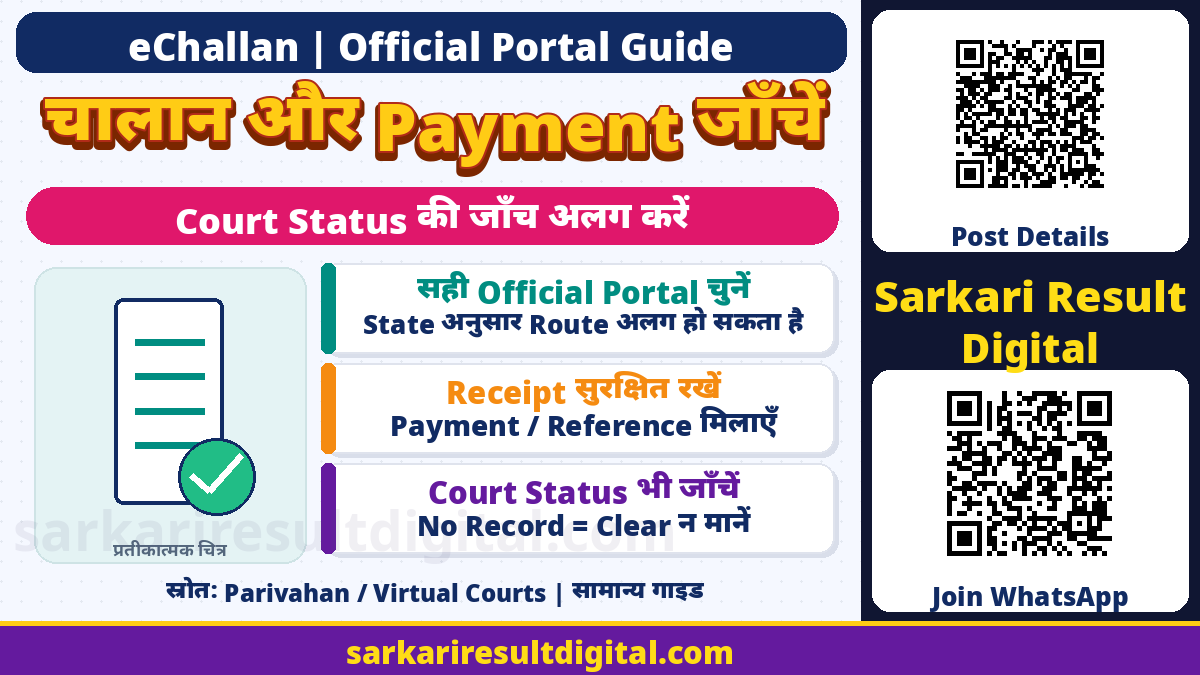
eChallan Payment और Court Status Guide: Traffic challan का record, payment transaction और court case तीन अलग records हो सकते हैं। Bank से पैसा कटना, portal पर payment successful होना, receipt मिलना और challan/case का status update होना एक ही बात नहीं। सही official service और सही reference से जांच करना जरूरी है।
यह Ministry of Road Transport and Highways के eChallan/NextGen public service pages और eCourts Virtual Courts FAQ पर आधारित सामान्य guide है। यहां किसी व्यक्ति का vehicle, DL, challan, OTP या payment check/submit नहीं किया गया। किसी notice की validity, guilt, fine waiver या case disposal का व्यक्तिगत legal verdict भी नहीं दिया गया है।
कौन-सा Record देख रहे हैं?
| Record | क्या मिलाएं |
|---|---|
| Challan | Number, vehicle/DL, date, issuing State/department, offence और amount |
| Payment transaction | Transaction/reference number, date, amount और verification status |
| Payment receipt | Successful payment की official receipt, सही challan reference |
| Virtual Court case | State/court, case/CNR, Pay Fine या Request to Contest और acknowledgement |
एक bank debit screenshot को court disposal order न समझें। इसी तरह किसी portal पर Challan Not Found दिखना पूरे भारत में हर authority का no-dues certificate नहीं है। गलत identifier, गलत service, State route या court referral अलग जांचना पड़ सकता है।

Old और NextGen Portal का सही Route
पुराने eChallan portal के current Pay Challan और Receipt pages कई States/UTs के लिए NextGen eChallan पर check/pay/download करने का notice दिखाते हैं। सूची में CG भी है। NextGen की current public services में Check Pending Challan Status, Pay Challan, Download Challan Print, Download Payment Receipt, Check Pending Transaction, Raise Grievance और Check Grievance Status अलग विकल्प हैं।
अपने notice और official current portal की State-specific direction का पालन करें। इस notice से किसी State की migration date, सारे पुराने records transfer होने या हर challan दोनों websites पर समान दिखने का अनुमान न लगाएं। State traffic/transport authority या court की अलग instruction हो तो उसे भी देखें। NextGen eChallan website और mParivahan mobile app को एक ही service न मानें।
Search से पहले ये Details मिलाएं
- SMS के unknown link की जगह official portal स्वयं खोलें।
- आपके पास मौजूद challan number, vehicle number या DL वाले applicable search विकल्प को चुनें।
- O और zero, I और 1 जैसे characters official notice/RC से मिलाएं।
- Screen पर मांगा captcha/verification स्वयं सुरक्षित रूप से पूरा करें।
- Record में State, department, challan date, vehicle और offence details मिलाएं।
- आपका वाहन/record नहीं हो तो किसी और का challan जल्दबाजी में न भरें।
- Court referral/status दिखे तो उसी case की court information भी देखें।
Form में जो identifiers मांगे जाएं वही दें। किसी agent को OTP, UPI PIN, net-banking password या remote-screen control देने की जरूरत नहीं। Search result की पहचान स्पष्ट न हो तो issuing authority से confirmation लें।
पैसा कटा लेकिन Pending या Failed दिखा?
| स्थिति | अगली सुरक्षित जांच |
|---|---|
| Bank debit, receipt नहीं | Challan और payment reference सुरक्षित रखें; Check Pending Transaction देखें |
| Pending transaction | Portal के Verify/status route से उसी attempt की पुष्टि करें |
| Failed status लेकिन debit | Bank reference और official portal status के साथ support से reconciliation मांगें |
| Success/receipt | Receipt में सही challan, amount, date और reference मिलाएं |
| Repeated attempt का विचार | पहले पुराने attempt की स्थिति साफ करें; अनजाने double payment से बचें |
Old portal का Payment Verification page Pending, Failed और Success transaction statuses अलग दिखाता है। ये transaction statuses हैं; इन्हें अपने-आप offence cancel, court acquittal या universal refund approval न कहें। किसी fixed update/refund time का यहां दावा नहीं किया गया है। Current gateway और issuing authority की instructions लागू होंगी।
Payment discrepancy में date/time, amount, bank transaction reference, challan number और relevant screenshots संभालें। Public social post या खुले message में full account/card/Aadhaar details न डालें। Support को जरूरत भर data official route पर दें।

Challan Print और Payment Receipt अलग हैं
NextGen दोनों के लिए अलग services देता है। Challan print आरोप/notice का record है; payment receipt successful transaction का proof है। Old receipt page साफ कहता है कि केवल successful-payment challans search में दिखेंगे और उनकी receipt download हो सकती है। Print challan मिलने को fee paid न मानें।
Receipt download करके सुरक्षित रखें। Payment के बाद relevant challan/case status भी देखें। केवल browser tab बंद हो जाने या SMS न आने से payment fail होने का निष्कर्ष न लें। दोबारा भुगतान से पहले official verification/reprint रास्ता अपनाएं।
Virtual Courts में Pay Fine या Contest
Virtual Courts FAQ State चुनकर mobile number, CNR, party name या challan/vehicle number जैसे available विकल्प से case search बताती है। सही case के View में details पढ़ें। इसके बाद Pay Fine या Request to Contest अलग decisions हैं। Fine स्वीकार करना और case contest करना एक जैसा नहीं। अपनी स्थिति समझकर विकल्प चुनें।
FAQ के अनुसार सामान्य flow में OTP verification है। Pay Fine पर ePay/payment gateway की प्रक्रिया के बाद successful transaction की receipt मिलती है। Contest करने पर acknowledgement में assigned physical court का नाम और date मिलती है। Case transfer request करना खुद acquittal या penalty cancellation नहीं है; court/date instructions का पालन जरूरी है।
हर forwarded challan पर दोनों portals से payment संभव होने की universal बात यहां नहीं कही गई। उसी record की live instruction पढ़ें और एक challan के लिए दो portals पर दो payment न करें। Court summons या अलग order हो तो उसके अनुसार आगे बढ़ें; doubt में court/qualified legal help लें।
Wrong Mobile, Missing Receipt और Support
Virtual Courts FAQ गलत mobile number होने पर engine/chassis details से verification का alternative बताती है, जहां applicable option मिले। इसे किसी भी unknown vehicle का access bypass न समझें। सही RTO record और screen की required details लागू होंगी।
Payment हुआ लेकिन acknowledgement नहीं मिला, या receipt खो गई, तो FAQ case search → View → Reprint और applicable verification का route बताती है। Contest acknowledgement में court name/date देखें। Summon link verification के बाद उपलब्ध हो सकता है। केवल SMS text को पूरी summons copy न मानें।
NextGen page technical help के लिए [email protected] और 0120-4925505 दिखाता है। Current NextGen timing 6 AM–12 midnight है, जबकि पुराने portal में 6 AM–10 PM दिखता है; अपने इस्तेमाल वाले current page की support timing देखें। Offence merits/incorrect challan पर issuing department या court, और technical transaction issue पर सही portal support का रास्ता अलग हो सकता है।
अक्सर पूछे जाने वाले प्रश्न
क्या Challan Not Found का मतलब कोई challan नहीं?
यह उसी search/portal का result है, universal no-dues certificate नहीं। Identifier, State route और court record जांचें।
क्या bank debit ही successful payment है?
नहीं। Official transaction verification और receipt से मिलाएं; duplicate payment से बचें।
क्या challan print receipt है?
नहीं। Notice/challan copy और successful-payment receipt अलग सेवाएं हैं।
क्या Request to Contest से fine माफ हो जाता है?
नहीं। Court transfer/acknowledgement और assigned date अलग next step है।
Virtual Court receipt खो जाए तो?
Official FAQ case View → Reprint और applicable verification का route बताती है।
Official links और मूल स्रोत
- NextGen eChallan: Official Services
- Old eChallan: Current State Route और Pay Challan
- Official Payment Verification
- Official Payment Receipt Service
- Virtual Courts: Official Home
- Virtual Courts: Official FAQ
Official स्रोत जाँच: 15 नवंबर 2026। बाद के संशोधन और संबंधित authority की वर्तमान instructions को प्राथमिकता दें।
प्रस्तुति और संकलन: Ashok Nayak | Sarkari Result Digital