Aadhaar Secure QR Guide: Offline Signature Check, Photo Match और Normal Scanner से अंतर NEW
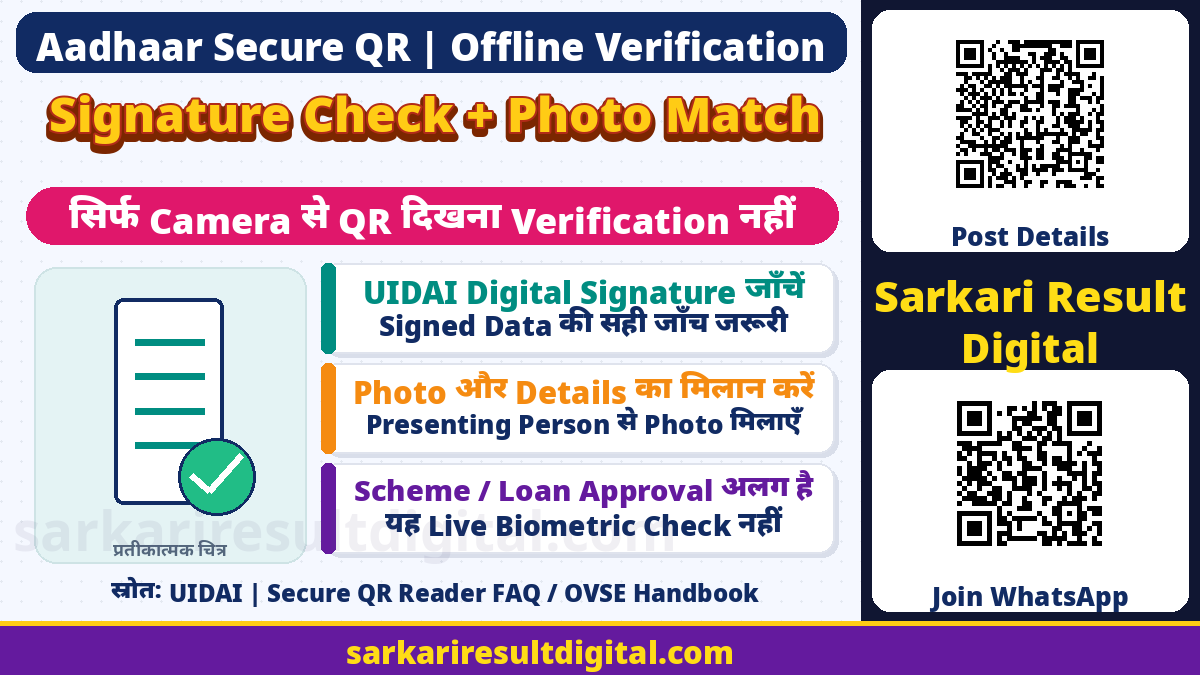
Aadhaar Secure QR Guide: Aadhaar के ऊपर छपा QR केवल किसी website का link खोलने वाला सामान्य QR नहीं है। UIDAI के अनुसार Secure QR में व्यक्ति की demographic information और photograph होती है, जिन्हें UIDAI digitally sign करता है। सही reader से signature verification करने पर data की authenticity और integrity जांचने में मदद मिलती है। केवल camera में square code दिखना या random scanner से कुछ text निकलना इस verification के बराबर नहीं है।
इस guide का उद्देश्य Secure QR को पढ़ने, result समझने और photo match की अलग भूमिका बताना है। यह Aadhaar App registration, SIM selection, PIN setup या Offline XML download की दोबारा guide नहीं है। यहां किसी व्यक्ति का Aadhaar scan, personal details collect या identity approval नहीं किया गया है। इस्तेमाल करते समय उचित consent, privacy और संबंधित service की lawful process जरूरी है।
Secure QR में क्या होता है?
UIDAI की current Aadhaar Online Services FAQ बताती है कि QR digitally signed है और offline identity verification में इस्तेमाल होता है। इसमें Aadhaar number के last 4 digits, name, address, gender, date of birth और photograph होते हैं। Mobile number और email-id masked form में होते हैं। इसलिए code को anonymous या personal information से खाली न समझें।
UIDAI QR Reader page नए Secure QR को पुराने demographic-only QR से अलग बताता है: नए version में photograph भी रहती है। अलग issue dates या presentation में पुराने code का अनुभव नए Secure QR की क्षमता तय नहीं करता। Reader में जो वास्तविक verified information दिखे, उसे समझें। केवल बाहर छपे नाम को QR के अंदर signed data मान लेना सही जांच नहीं है।
| विषय | जानकारी |
|---|---|
| Signed Data | UIDAI digital signature से संरक्षित |
| Information | Name, address, gender, DOB और photograph |
| Aadhaar Digits | Current FAQ के अनुसार last 4 digits |
| Contact Details | Masked mobile number और email-id |
| Privacy | Personal information है, खुले में share न करें |
Normal QR Scanner से क्या अंतर है?
किसी restaurant menu या payment link का सामान्य QR पढ़ने वाला scanner हर Aadhaar Secure QR का signature validate करने वाला official reader नहीं होता। UIDAI की FAQ supported reading routes के रूप में Aadhaar App, Aadhaar QR Scanner app और official website पर Windows application बताती है। सिर्फ barcode पहचान लेना और UIDAI signature verify करना अलग steps हैं।
App install करते समय UIDAI की official page से दिए store links खोलें और publisher/source देखें। किसी search ad, forwarded APK या social message को official reader न मानें। इस article में third-party app को certified या guaranteed safe नहीं कहा गया है। App की permissions और actual verification result देखकर आगे बढ़ें; QR fail होने पर किसी अनजान service पर Aadhaar upload करके समाधान न खोजें।

Offline Scanning का सही अर्थ
Current Aadhaar Online Services FAQ स्पष्ट कहती है कि smartphone Aadhaar QR Code Scanner और Windows-based QR scanning application offline mode में काम करते हैं तथा scanning purpose के लिए internet की जरूरत नहीं होती। इसका scope QR scanning और locally available signed information की verification है। इसे हर app feature और हर service बिना internet चलेगी, ऐसी घोषणा न बनाएं।
App download, installation, update और दूसरे online functions के लिए connectivity की अलग जरूरत हो सकती है। Official QR Reader page की कुछ पुरानी explanatory lines में real-time/backend wording भी मौजूद है। इस guide में offline scanning का claim current online-services FAQ की स्पष्ट scanning-specific explanation पर आधारित है। Version और supported platform की current instructions official page से ही देखें।
| विषय | जानकारी |
|---|---|
| Offline Claim | Supported reader में QR scanning purpose |
| यह Claim नहीं | सभी app services internet के बिना चलेंगी |
| Official Basis | UIDAI Aadhaar Online Services FAQ |
| Installation / Update | Connectivity की जरूरत अलग हो सकती है |
Scan से पहले तैयारी
Official reader route चुनें और device पर उसे सामान्य तरीके से install/update करें। Reader की current requirements देखें। Aadhaar/e-Aadhaar का QR साफ, पूरा और पर्याप्त आकार में दिखना चाहिए। फटी photocopy, blur, glare, fold या code के ऊपर sticker scanner को पढ़ने से रोक सकते हैं। Aadhaar के दूसरे fields को random editing से बदलकर scanable बनाने की कोशिश न करें।
जिस व्यक्ति की information verify हो रही है उसे उद्देश्य बताएं और उसकी सहमति के साथ आवश्यक verification करें। अपने device या document का control किसी अनजान caller को remote access से न दें। यह website verification provider नहीं है; यहां किसी Aadhaar image, password, OTP या पूरा number भेजने की जरूरत नहीं है। जरूरत भर information ही उचित recipient के सामने रखें।
Reader में Scan का सामान्य क्रम
Official application खोलकर उसमें संबंधित QR scan option चुनें। Printed document हो तो camera/scanner के सामने code पूरा रखें। Screen पर e-Aadhaar दिख रहा हो तो reflection और focus का ध्यान रखें। Windows workflow में UIDAI specification के अनुरूप physical scanner route दिया गया है; device support की current instructions उसी official page से लें।
Reader को result दिखाने दें और signature/verification status पढ़ें। केवल sound, green outline या camera focus को final verified result न मानें। App/interface के version के अनुसार wording या layout बदल सकता है, इसलिए यहां invented fixed button names या हर screen का universal क्रम नहीं दिया जा रहा। Displayed demographic details और photograph को संबंधित verification purpose के अनुसार देखें।

Digital Signature किस बात की जांच है?
UIDAI digital signature का उद्देश्य यह जांचना है कि encoded information UIDAI द्वारा signed है और signed content में छेड़छाड़ नहीं हुई। Official QR Reader page verified और not-verified result के बीच फर्क बताता है। इस result को document के बाहर लिखी हर बात, साथ लगे हर paper या service eligibility की universal approval न मानें।
Signature verified दिखना अपने-आप यह साबित नहीं करता कि document लेकर आया व्यक्ति photograph वाला ही व्यक्ति है। QR में photo और demographic data उपलब्ध होने के बाद उचित person-to-photo matching और service-specific checks की भूमिका रहती है। केवल code की authenticity और सामने वाले presenter की identity का निष्कर्ष एक ही चीज नहीं है। यह लेख face authentication या live biometric verification किए जाने का दावा नहीं करता।
| विषय | जानकारी |
|---|---|
| Signature Check | Signed data की authenticity/integrity |
| Photo Match | Presenter और displayed photograph की अलग जांच |
| Service Eligibility | Concerned service के अलग rules |
| Automatic निष्कर्ष नहीं | Benefit sanction, KYC acceptance या live biometric success |
Photo और Demographic Match कैसे समझें?
Verified reader में photograph दिखाई दे तो उसे presenter के साथ ध्यान से देखें। Name, date of birth या address में difference हो तो recipient की prescribed process के अनुसार clarification करें। किसी unrelated व्यक्ति का valid QR दिखाने से केवल उस encoded data की signature condition पूरी हो सकती है; इससे bearer अपने-आप उस identity का holder नहीं बन जाता।
पुराना address, photograph या spelling देखकर अपनी ओर से signed data edit न करें। जरूरत होने पर UIDAI के official correction/update routes और जिस service को document दिया जा रहा है उसके current requirements अलग से देखें। QR scan किसी demographic update की application नहीं है। Verification का screenshot भी Aadhaar update approval या नया document जारी होने का प्रमाण नहीं बनता।
QR Read न हो या Not Verified दिखे तो?
पहले practical readability देखें: पूरा code frame में है या नहीं, print quality, lighting, screen brightness और focus पर्याप्त हैं या नहीं। Official supported reader इस्तेमाल हो रहा है या कोई सामान्य scanner, यह जांचें। Source document उपलब्ध हो तो उसकी साफ copy से normal retry किया जा सकता है। बार-बार गलत scanner में scan कराना signature validation का विकल्प नहीं है।
Code न पढ़ पाने को तुरन्त forgery का final प्रमाण न बताएं। उसी तरह not-verified warning को ignore करके document approved भी न मानें। Official reader instructions के अनुसार सहायता लें और concerned service की alternative verification process पूछें। किसी QR error को दूर करने के नाम पर OTP, PIN या bank payment मांगने वाले random contact पर भरोसा न करें।
| विषय | जानकारी |
|---|---|
| Unreadable | Quality / device / supported reader की जांच |
| Not Verified | Warning को ignore न करें |
| नहीं करें | खुद data बदलना या failure को approval कहना |
| सहायता | UIDAI official instructions और concerned service process |
Privacy: QR Screenshot भी Sensitive है
Current FAQ के अनुसार full Aadhaar number के बजाय last 4 digits होने का अर्थ यह नहीं कि QR share करना risk-free है। Name, address, DOB और photograph भी personal information हैं। Document का QR social group या public comment में डालना अनावश्यक disclosure कर सकता है। Verification के लिए जो recipient और purpose तय हो, उसी तक सीमित रहें।
Reader में phone/email के masked representation को complete contact detail मिलने की guarantee न मानें। किसी भी workflow की जरूरत, consent और applicable rules देखे बिना scan की screenshots या decoded data retain/forward न करें। यह guide data storage की blanket permission नहीं देती। इस article में कोई real Aadhaar sample नहीं दिया गया और art केवल conceptual explainer है।
Secure QR, XML और Contact QR अलग हैं
Aadhaar Paperless Offline XML भी signed information के लिए एक अलग mechanism है, लेकिन उसका file/Share Code workflow Secure QR scanning के बराबर नहीं है। इसी तरह app का Share Contact feature recipient को contact save कराने का अलग purpose रखता है। किसी contact QR के खुल जाने को Aadhaar credential signature verification न कहें। सही feature और purpose पहचानना जरूरी है।
अगर bank, hotel या दूसरे service provider को identity evidence देना है तो उसकी current process, consent requirement और स्वीकार किए जाने वाले documents देखें। Signed QR की technical verification से pension, scholarship, loan या कोई सरकारी benefit स्वतः sanction नहीं होता। किसी service का final acceptance उसके applicable rules पर निर्भर है। लेख का scope reader और result समझना है, eligibility का फैसला नहीं।
अक्सर पूछे जाने वाले प्रश्न
क्या Normal QR Scanner पर्याप्त है?
सामान्य scanner में code detect होना UIDAI signature verification नहीं है। Official Aadhaar App/QR Scanner/Windows reader की supported route देखें।
क्या Scanning के लिए Internet चाहिए?
UIDAI current FAQ supported QR scanners को scanning purpose के लिए offline बताती है। Download/update और दूसरे online features की जरूरत अलग हो सकती है।
क्या QR में पूरा Aadhaar Number होता है?
Current FAQ last 4 digits के साथ name, address, DOB, gender और photo बताती है। Masked contact information भी होती है। इसे anonymous न समझें।
Signature Verified का मतलब Presenter Verified है?
Signature signed data की authenticity/integrity से जुड़ी है। Presenter/photo match और service-specific checks अलग हैं।
QR Read न हो तो क्या Aadhaar Fake है?
Unreadable result अकेले final forgery proof नहीं है। Quality, supported reader और official instructions जांचें; warning को approval भी न मानें।
क्या QR Scan से Scheme Approval मिल जाता है?
नहीं। QR identity information verify करने का mechanism है। Benefit sanction और service eligibility अलग applicable rules से तय होते हैं।
Official Links और मूल स्रोत
- UIDAI Secure QR Code Reader और official application routes
- UIDAI Aadhaar Online Services: Secure QR Code Reader FAQ
Official स्रोत जांच: 17 नवंबर 2026। आगे के संशोधन और संबंधित विभाग के वर्तमान निर्देश लागू होंगे।
प्रस्तुति और संकलन: Ashok Nayak | Sarkari Result Digital