Masked Aadhaar Guide: पहले 8 Digits छिपें, आखिरी 4 दिखें; Download और Privacy की सही सावधानी NEW
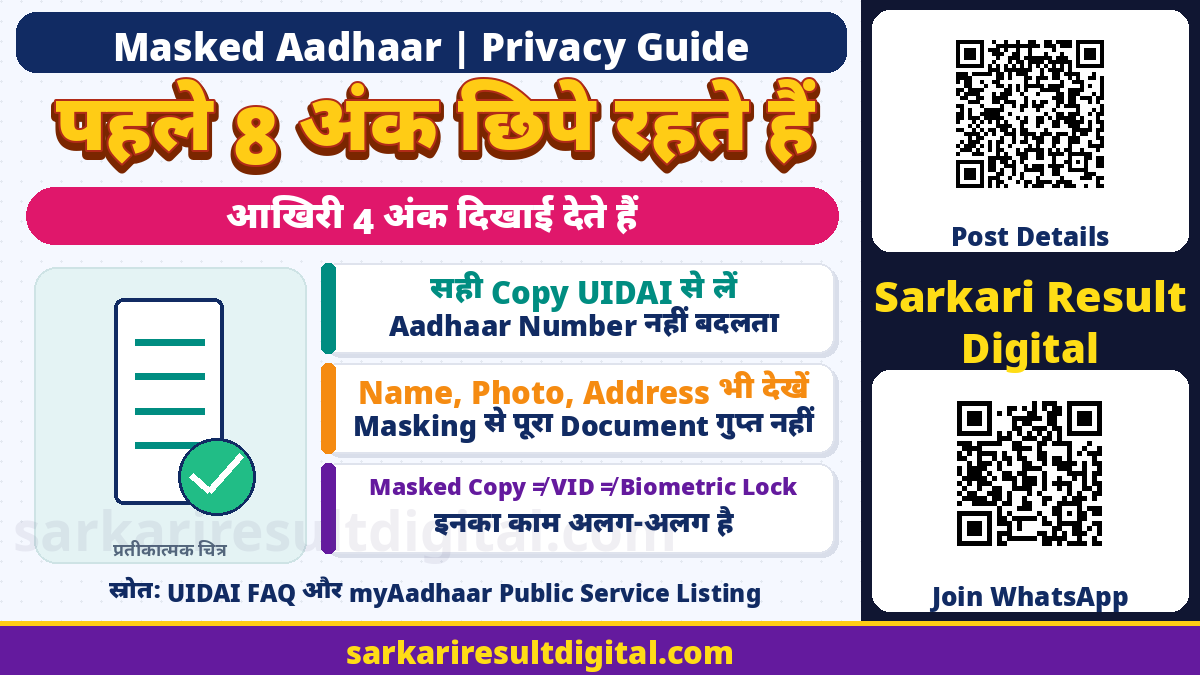
Masked Aadhaar Guide: UIDAI के अनुसार Masked Aadhaar में Aadhaar number के पहले आठ digits को xxxx-xxxx से छिपाया जाता है और केवल आखिरी चार digits दिखाई देते हैं। यह पूरे Aadhaar number को बार-बार share करने की जरूरत कम करने वाला document विकल्प है। यह नया Aadhaar number, अलग identity या Aadhaar record में correction नहीं है।
इस guide में किसी व्यक्ति का Aadhaar number, OTP या personal PDF इस्तेमाल नहीं किया गया है। Official public FAQ और myAadhaar की current service listing जांची गई है। किसी user के नाम पर document download नहीं किया गया। Website के layout बदल सकते हैं, इसलिए यहां बिना देखे निश्चित button positions या personal verification सफल होने का दावा नहीं किया गया है।
मुख्य जानकारी एक नजर में
| विषय | जानकारी |
|---|---|
| Official meaning | पहले 8 digits masked, आखिरी 4 visible |
| प्रतीकात्मक रूप | xxxx-xxxx-1234; यह किसी व्यक्ति का actual number नहीं |
| Document | UIDAI की masked electronic Aadhaar copy |
| Number बदलता है? | नहीं, number का दिखाई देने वाला हिस्सा कम किया जाता है |
| Public download service | Official myAadhaar में Download Masked Aadhaar |
| Verification | Current public service listing में mobile OTP required |
| यह क्या नहीं है | VID generation, biometric lock या personal detail update नहीं |
| Sharing | Purpose और recipient की जरूरत समझकर minimum necessary copy दें |
आठ Digits छिपने का सही अर्थ
Masking का उद्देश्य visible Aadhaar number का बड़ा हिस्सा छिपाना है। xxxx-xxxx-1234 जैसे उदाहरण में 1234 सिर्फ आखिरी चार digits का प्रतीक है। इसे किसी real person के number के रूप में न इस्तेमाल करें। किसी public poster या sample में अपने actual full Aadhaar number की जरूरत नहीं है।
Masked copy के अंदर नाम, photo, date of birth या year, address और अन्य printed information को भी ध्यान से देखें। केवल number masked होने से पूरा document anonymous या harmless नहीं हो जाता। जिस recipient को केवल limited proof चाहिए, उसे बाकी personal information देने की जरूरत और सुरक्षित तरीका समझें। Forward करने से पहले actual file खोलकर देखें कि कौन सी जानकारी visible है।

Official Download Route कैसे पहचानें?
UIDAI की e-Aadhaar FAQ download के लिए official myAadhaar route बताती है। जांच के समय उस route से UIDAI की beta myAadhaar interface पर redirect मिला। Current public page में Keep Aadhaar Secure के अंतर्गत Download Masked Aadhaar service और mobile OTP required लिखा था। Beta interface पर बदलाव Aadhaar record को affect कर सकते हैं, ऐसी warning भी थी।
Masked copy प्राप्त करने के लिए official service का नाम पढ़ें। Address Update, biometric locking, Aadhaar locking, PVC order और masked download अलग services हैं। केवल किसी card या tile का रंग देखकर गलत service न चुनें। इस guide में identity दर्ज करके आगे की personal form प्रक्रिया नहीं चलाई गई है; इसलिए current personal screen में कौन सा exact option कब दिखेगा, उसकी बिना जांच guarantee नहीं दी गई।
- UIDAI की official website या उसके linked myAadhaar portal से शुरुआत करें।
- Download Masked Aadhaar या current relevant download विकल्प पहचानें।
- Current instructions, consent और verification की शर्तें पढ़ें।
- अपने सही details केवल official service पर दर्ज करें।
- Registered mobile पर आए verification को खुद सुरक्षित तरीके से पूरा करें।
- Download के बाद copy खोलकर visible digits और personal information जांचें।
Registered Mobile और OTP की सावधानी
UIDAI FAQ कहती है कि e-Aadhaar download का OTP registered mobile number पर आता है। Current masked-download service listing भी mobile OTP required बताती है। किसी अन्य व्यक्ति का mobile number डालकर अपने Aadhaar का verification अपने आप पूरा हो जाएगा, ऐसा न मानें। Linked mobile उपलब्ध न हो तो current official support या Aadhaar centre की guidance लें।
OTP किसी unknown caller, WhatsApp helper या public comment में न दें। एक genuine-looking logo या Aadhaar जैसा page अपने आप official होने का प्रमाण नहीं है। Address bar में UIDAI का सही domain और expected service देखें। किसी caller की urgency के कारण unrelated authentication approve न करें। केवल masked copy चाहिए तो address या biometric record बदलने का request देने की जरूरत नहीं समझें।

Password-protected PDF और Digital Signature
UIDAI e-Aadhaar को password-protected electronic copy बताता है, जो UIDAI द्वारा digitally signed होती है। Current FAQ password convention में नाम के पहले चार letters CAPITAL और birth year YYYY का संयोजन बताती है। छोटे नाम या punctuation वाले cases के examples भी FAQ में हैं। अपना actual PDF password या birth details किसी public message में न लिखें।
PDF का password protection और visible number की masking अलग features हैं। Password खोल लेने वाले recipient को file में बाकी visible information मिल सकती है। इसलिए PDF और उसका password एक साथ अनजान व्यक्ति को भेजना privacy protection नहीं है। Genuine electronic file की digital signature की जांच के लिए UIDAI की official instructions पढ़ें। किसी image editor से document बदलकर उसे digitally signed original बताना गलत है।
क्या खुद Digits ढकना वही चीज है?
किसी photocopy, screenshot या scan में black rectangle लगाना और UIDAI से issued masked electronic copy लेना अलग बातें हैं। जिस document को खुद edit किया गया है, उसकी original digital signature या contents प्रभावित हो सकते हैं। इसलिए edited screenshot को UIDAI द्वारा issued masked PDF के बराबर बताकर share न करें।
कुछ apps में ऊपर रखी shape हटाने या original image निकालने पर hidden text फिर दिख सकता है। Privacy के लिए केवल visual cover पर भरोसा न करें। सही official masked document विकल्प उपलब्ध हो तो उसे समझें। अगर किसी specific institution को अलग format चाहिए, उससे acceptable document और purpose की लिखित clarification लें। यह guide किसी खास KYC provider के behalf पर acceptance approve नहीं करती।
Masked Aadhaar, VID और Biometric Lock अलग हैं
| विषय | जानकारी |
|---|---|
| Masked Aadhaar | Document में पहले आठ number digits को छिपाना |
| Virtual ID / VID | Aadhaar से जुड़ा अलग virtual identifier; masked copy नहीं |
| Biometric lock | Biometric authentication से संबंधित lock service; PDF masking नहीं |
| Aadhaar / UID lock | अलग security service; download को उसी के समान न मानें |
| Address या detail update | Aadhaar record में applicable change request; masked copy से अलग |
Masked copy लेने से biometrics अपने आप lock नहीं होते। इसी तरह biometric lock करने से पहले से भेजी हुई unmasked copy वापस नहीं आती। अपनी जरूरत के अनुसार service समझें। किसी helper का यह दावा कि एक button से हर प्रकार की Aadhaar misuse पूरी तरह बंद हो जाएगी, official guarantee नहीं है।
Validity और Recipient की मांग
UIDAI FAQ e-Aadhaar को physical Aadhaar की तरह valid electronic copy बताती है। फिर भी यह तथ्य किसी भी अनजान requester को full number या पूरी personal PDF देने की blanket permission नहीं है। Recipient किस उद्देश्य से proof मांग रहा है और applicable process क्या है, यह पूछना उचित है।
इस article में सभी bank accounts, telecom connections, government forms या private KYC workflows में masked copy बिना अतिरिक्त requirement जरूर स्वीकार होगी, ऐसा universal दावा नहीं किया गया है। Institution की current lawful requirements और consent प्रक्रिया पढ़ें। अगर full number मांगा जाए तो purpose और secure official channel समझें; public chat या खुले group को उसका substitute न बनाएं।
Share करने से पहले Checklist
- क्या recipient और purpose सही हैं?
- क्या masked copy से काम हो सकता है?
- क्या file में full number गलती से दिखाई तो नहीं दे रहा?
- क्या नाम, photo, address या दूसरे records जरूरत से ज्यादा share हो रहे हैं?
- क्या भेजी जा रही file official issued copy है या edited screenshot?
- क्या recipient को password देना सच में जरूरी है और channel सुरक्षित है?
- क्या download shared device के public folder में छूट गया है?
Shared computer या cyber cafe पर download करें तो personal file और saved session की privacy का ध्यान रखें। किसी दूसरे व्यक्ति की file को अपना document समझकर न भेजें। Filename में full Aadhaar number डालना भी masking के उद्देश्य को कमजोर कर सकता है। Paper print पर भी वही personal information visible होगी जो document में printed है।
Problem हो तो सही मदद
Download या linked-mobile issue के लिए UIDAI की official support information देखें। FAQ में toll-free 1947 दिया है। अपना full number या PDF public comment में डालकर troubleshooting न कराएं। Support को issue का प्रकार बताएं, लेकिन OTP, password या unnecessary personal records share न करें।
Masked copy कोई name, address, birth detail या mobile update approval नहीं है। Download में पुरानी या गलत information दिखे तो संबंधित official update route और supporting document rules अलग से पढ़ने होंगे। यह guide correction successful होने, physical card dispatch या benefit payment का status नहीं बताती।
अक्सर पूछे जाने वाले प्रश्न
Masked Aadhaar में कितने Digits दिखते हैं?
पहले आठ digits xxxx-xxxx से छिपते हैं और आखिरी चार दिखाई देते हैं।
क्या Aadhaar Number बदल जाता है?
नहीं। यह number की visibility कम करने वाला document विकल्प है।
क्या पूरी PDF की जानकारी छिप जाती है?
नहीं। बाकी printed personal information को भी ध्यान से देखें और जरूरत के अनुसार share करें।
क्या OTP की जरूरत है?
Current UIDAI public service listing और FAQ registered mobile OTP की requirement बताती हैं।
क्या Masked Copy से Biometrics Lock हो जाते हैं?
नहीं। Masked Aadhaar, VID और biometric lock अलग services हैं।
क्या यहां कोई Personal PDF Download हुई है?
नहीं। यह official public guidance और service listing पर आधारित information guide है।
Official links और मूल स्रोत
- UIDAI official e-Aadhaar and Masked Aadhaar FAQs
- UIDAI-linked official myAadhaar download route
- Current UIDAI beta myAadhaar public service listing
Official स्रोत जांच: 16 नवंबर 2026। आगे के संशोधन और संबंधित authority के current निर्देश लागू होंगे।
प्रस्तुति और संकलन: Ashok Nayak | Sarkari Result Digital